Key Takeaways
-
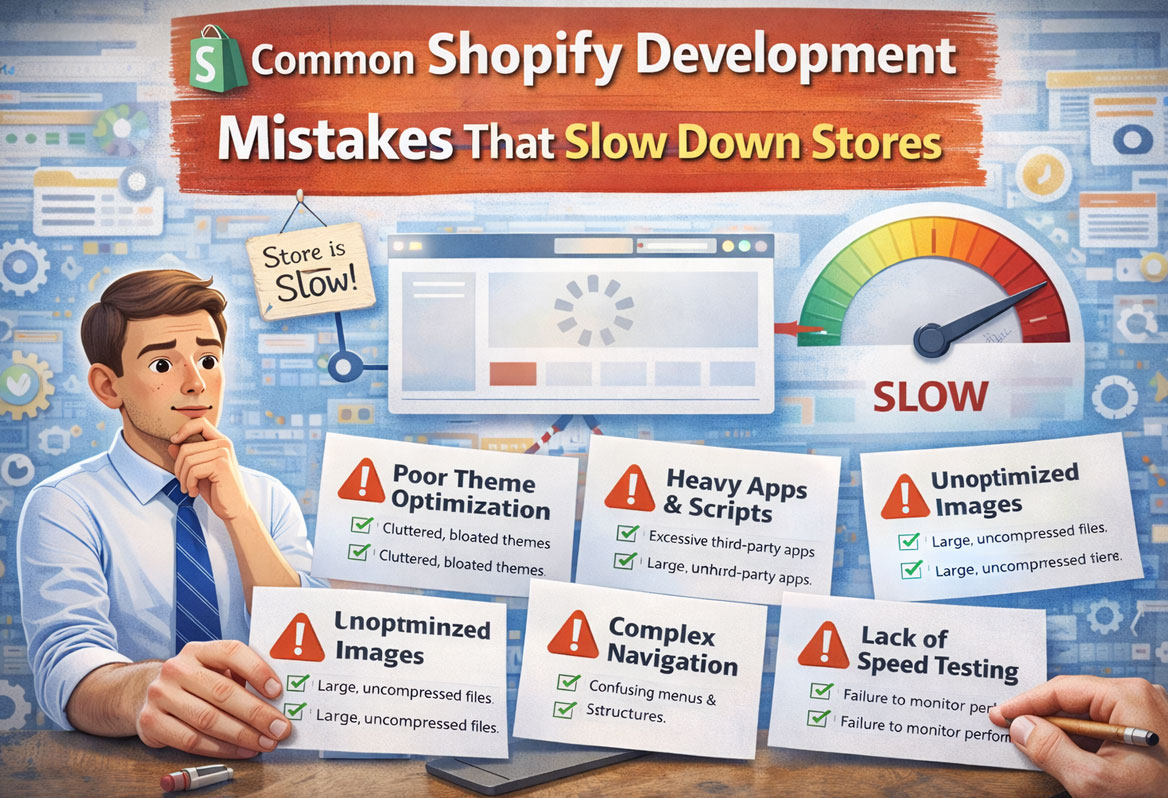
 Avoid overloading your store with apps by regularly auditing and removing unused or redundant apps.
-
 Optimize your images by compressing them, using the correct file format, and implementing lazy loading.
-
 Clean up excessive or messy custom code by conducting a code audit and minifying your CSS, JavaScript, and Liquid code.
-
 Ensure your store is mobile-friendly by testing it on multiple devices and choosing a responsive theme.
-
 Make use of caching and CDNs to improve your store’s load time. Choose a lightweight, optimized theme and consider custom performance optimizations if necessary.
-
 Don’t ignore Core Web Vitals—measure and optimize for LCP, FID, and CLS to improve SEO rankings and user experience.
-
 By addressing these common mistakes, you can significantly improve your Shopify store’s speed, user experience, and conversion rates.
Introduction
Did you know that 53% of mobile users abandon a site if it takes longer than 3 seconds to load? If your Shopify store is slow, you’re not just losing visitors, you’re losing potential revenue. A 2023 study by Portent revealed that eCommerce sites loading in 1 second have a conversion rate of 40%, while those taking 5 seconds drop to 10%. These statistics highlight the critical importance of optimizing your Shopify store for speed.
In this guide, we’ll explore the most common Shopify development mistakes that slow down your store, their technical causes, and actionable solutions to fix them. Whether you’re experiencing slow load times, high bounce rates, or declining conversions, this article provides expert insights and practical steps to enhance your store’s performance.
This guide is based on my hands-on experience auditing and optimizing multiple Shopify stores across various industries. From excessive app usage to unoptimized themes and poor coding practices, I’ve seen firsthand how these mistakes can cripple a store’s performance. By the end of this article, you’ll have a clear understanding of what’s slowing down your store and how to address it effectively.
Mistake #1: Overloading the Store with Apps
One of the most common mistakes Shopify store owners make is overloading their store with apps. While the Shopify App Store offers thousands of plugins that promise to enhance functionality, installing too many can bloat your store and significantly increase load times. Each app adds JavaScript, CSS, and API calls, which can slow down your site. A 2023 case study by Littledata found that stores with over 20 apps experienced 40% slower load times compared to stores with fewer than 10 apps.
To avoid this issue, it’s essential to audit your apps regularly. Remove any unused or redundant apps and prioritize those that offer the most value. For example, if you’re using multiple apps for similar functionalities, consider consolidating them into one. Additionally, review the performance impact of each app using tools like Shopify’s built-in Speed Report or Google Lighthouse. These tools provide insights into how each app affects your store’s load time and overall performance.
Another effective strategy is to use app-free alternatives where possible. For instance, instead of relying on a third-party app for product reviews, consider using Shopify’s native review system or custom coding a lightweight solution. By reducing the number of apps, you can streamline your store’s codebase and improve its speed.
Mistake #2: Poor Image Optimization
Images are a critical component of any eCommerce store, but they can also be a major source of performance issues if not optimized correctly. Large, unoptimized images can slow down your store’s load time, especially on mobile devices. According to Google’s 2022 report, 53% of mobile users abandon a site if it takes longer than 3 seconds to load, and unoptimized images are often the culprit.
To optimize your images, start by compressing them without sacrificing quality. Tools like TinyPNG or Shopify’s built-in image compression can help reduce file sizes significantly. Additionally, use the correct file format for each image. For example, JPEGs are ideal for photographs, while PNGs are better for graphics with transparent backgrounds. For modern browsers, consider using WebP format, which offers superior compression and quality compared to JPEG and PNG.
Another best practice is to implement lazy loading, which delays the loading of images until they’re needed. This can significantly improve your store’s initial load time, especially for pages with multiple images. Shopify’s Dawn theme, for example, includes built-in lazy loading functionality. If you’re using a custom theme, consider adding lazy loading through custom code or a third-party app.
Mistake #3: Excessive or Messy Custom Code
Custom code can be a double-edged sword. While it allows you to add unique features and functionalities to your store, excessive or poorly written code can slow down your site. This is especially true for JavaScript, CSS, and Liquid code, which can bloat your store’s codebase and increase load times. In my experience, I’ve seen stores with custom code that’s redundant, inefficient, or even obsolete, leading to significant performance issues.
To address this issue, conduct a thorough code audit to identify and remove any unnecessary or redundant code. This includes unused JavaScript functions, duplicate CSS styles, and obsolete Liquid snippets. If you’re not comfortable with coding, consider hiring a Shopify development expert to help with the audit and cleanup process.
Another best practice is to minify your CSS, JavaScript, and Liquid code. Minification removes unnecessary characters like spaces, line breaks, and comments, reducing file sizes and improving load times. Shopify’s built-in asset pipeline automatically minifies some code, but for custom code, you may need to use third-party tools or manual minification.
Mistake #4: Ignoring Mobile Responsiveness
With over 70% of eCommerce traffic coming from mobile devices, ignoring mobile responsiveness is a critical mistake. A mobile-friendly design ensures that your store looks and performs well on all devices, but many Shopify stores fail to prioritize this. Poor mobile responsiveness can lead to a frustrating user experience, higher bounce rates, and lower conversions.
To ensure your store is mobile-friendly, start by testing it on multiple devices and screen sizes. Use tools like Google’s Mobile-Friendly Test to identify any issues and get recommendations for improvement. Additionally, choose a responsive theme that automatically adjusts to different screen sizes. Shopify’s Dawn theme, for example, is designed with mobile-first principles and offers excellent responsiveness out of the box.
Another key aspect of mobile responsiveness is optimizing your store’s layout and navigation for touchscreens. This includes using larger buttons, avoiding small text, and ensuring that all elements are easily tappable. If you’re using a custom theme, consider working with a Shopify development expert to ensure it’s fully optimized for mobile devices.
Mistake #5: Lack of Caching and CDNs
Caching and Content Delivery Networks (CDNs) are essential for improving your store’s load time, but many Shopify store owners overlook these tools. Caching stores a copy of your store’s pages and serves them to users without needing to reload the entire page, while CDNs distribute your store’s content across multiple servers worldwide, reducing latency and improving load times for users in different regions.
Shopify includes built-in caching and CDN functionality, but there are additional steps you can take to optimize these features. For example, enable browser caching to store static assets like images, CSS, and JavaScript on users’ devices, reducing the need to download them repeatedly. Additionally, consider using a third-party CDN like Cloudflare to further enhance your store’s performance.
Another best practice is to regularly clear your cache to ensure that users receive the most up-to-date version of your store. This is especially important after making significant changes to your store’s design or content. Shopify’s cache is automatically cleared when you publish changes, but if you’re using a third-party CDN, you may need to clear it manually.
Mistake #6: Choosing the Wrong Theme
Your Shopify theme plays a crucial role in your store’s performance, but choosing the wrong one can lead to slow load times and poor user experience. Some themes are bloated with unnecessary features and code, while others lack the optimization needed for fast performance. In my experience, I’ve seen stores suffer from slow load times simply because they chose a theme that wasn’t designed with performance in mind.
To avoid this issue, choose a theme that’s optimized for speed and performance. Shopify’s Dawn theme, for example, is lightweight, fast, and designed with modern eCommerce best practices in mind. Additionally, look for themes that are regularly updated and supported by reputable developers. This ensures that your theme stays compatible with Shopify’s latest features and security updates.
If you’re using a custom theme, consider working with a Shopify development expert to optimize it for performance. This includes removing unnecessary features, minifying code, and ensuring that the theme is fully responsive and mobile-friendly. By choosing the right theme and optimizing it for performance, you can significantly improve your store’s load time and user experience.
Mistake #7: Ignoring Core Web Vitals
Core Web Vitals are a set of metrics introduced by Google to measure user experience, including load time, interactivity, and visual stability. Ignoring these metrics can hurt your store’s SEO rankings and user experience. In 2023, Semrush identified page speed as one of the top three ranking factors for Google’s algorithm, making Core Web Vitals more important than ever.
To optimize your store for Core Web Vitals, start by measuring your performance using tools like Google Lighthouse or Shopify’s Speed Report. These tools provide detailed insights into your store’s load time, interactivity, and visual stability, along with recommendations for improvement. For example, you can improve your Largest Contentful Paint (LCP) by optimizing images and reducing server response times, or enhance your First Input Delay (FID) by minimizing JavaScript execution time.
Another key aspect of Core Web Vitals is Cumulative Layout Shift (CLS), which measures how much your page’s layout shifts during loading. To reduce CLS, ensure that all elements on your page have defined dimensions and avoid adding content above existing content. By optimizing for Core Web Vitals, you can improve your store’s SEO rankings and provide a better user experience.
FAQ
FAQs
You can use tools like Google Lighthouse or Shopify’s Speed Report to measure your store’s load time and get recommendations for improvement. These tools provide detailed insights into your store’s performance and highlight areas that need optimization.
Aim for a load time of under 3 seconds to minimize bounce rates and maximize conversions. Studies have shown that faster load times lead to higher customer satisfaction and better conversion rates.
It’s a good idea to conduct an app audit every 3-6 months to remove unused or redundant apps and ensure optimal performance. Regular audits help you keep your store’s codebase clean and efficient.
Yes, many optimizations can be done without coding, such as image compression, app audits, and using built-in Shopify features. For more advanced optimizations, consider hiring a Shopify development expert.
Compress images using tools like TinyPNG, use the correct file format, and implement lazy loading to improve load times. These steps can significantly reduce the size of your images without sacrificing quality.
Look for lightweight, responsive themes like Shopify’s Dawn theme, or work with a developer to optimize a custom theme. A well-optimized theme can make a big difference in your store’s performance.
Core Web Vitals are metrics that measure user experience, including load time, interactivity, and visual stability. They’re important because they impact SEO rankings and user experience, making them a critical focus for any Shopify store owner.
Ready to Get Started?
If your Shopify store is running slow, you’re not just losing customers—you’re losing potential revenue. At Sky Storm Digital, we specialize in Shopify development services that optimize your store’s speed, performance, and user experience. Whether you need a performance audit, custom theme optimization, or help with Core Web Vitals, our team of experts is here to help. Contact us today to get started on your journey to a faster, more efficient Shopify store.

Pooja Garg
Pooja Garg is the founder of Sky Storm Digital, a creative digital marketing agency dedicated to helping brands grow through strategy, storytelling, and design. With a passion for blending creativity and data-driven insight, Pooja writes about digital marketing trends, brand building, and the ever-evolving online landscape.
When she’s not crafting campaigns, she’s exploring new ways to connect creativity with technology.