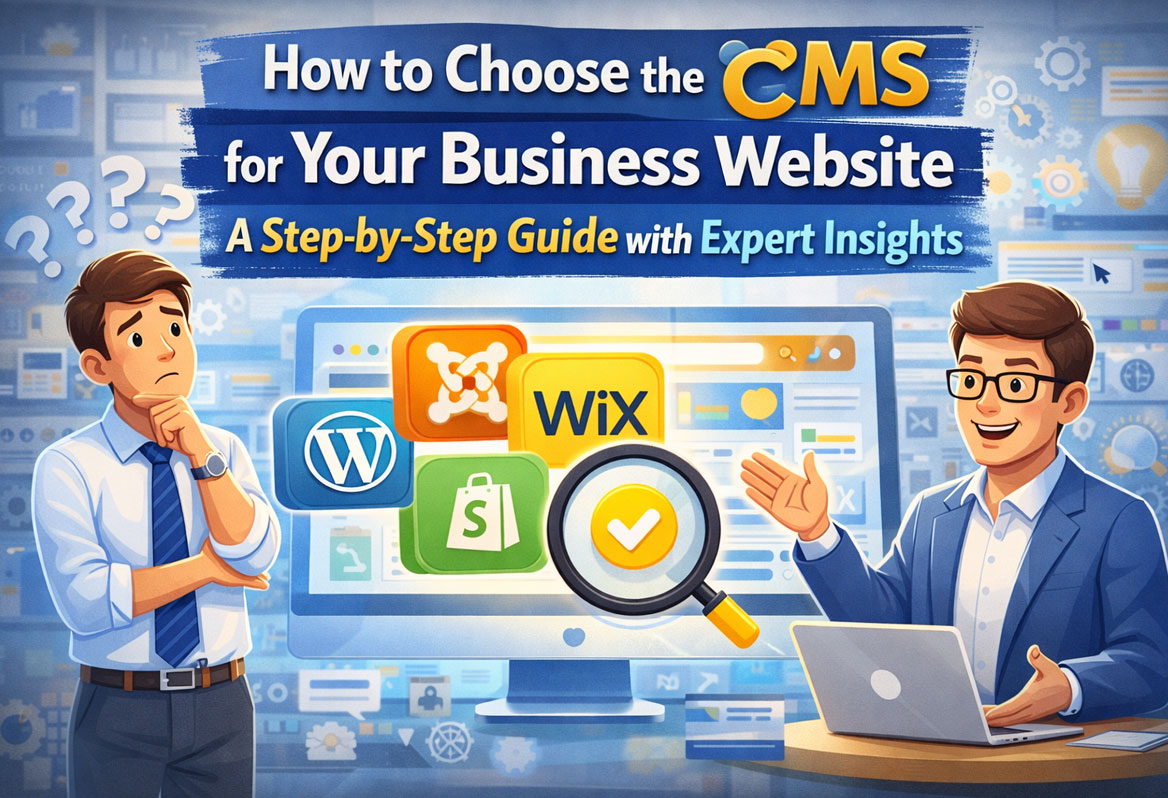
Choosing the right Content Management System (CMS) for your business website is a pivotal decision that can either propel your digital presence or hinder it. With various platforms at your disposal, understanding the nuances is crucial. This guide aims to empower you with the knowledge you need to make an informed choice that aligns with your business objectives. Key points to remember include: identifying your specific business needs, prioritizing scalability, acknowledging potential hidden costs, and ensuring your choice remains adaptable for future challenges. Whether you run a small business, an eCommerce store, or are launching a startup, this article offers a comprehensive step-by-step decision-making framework, enriched with real-world examples and expert insights to help you find the CMS that perfectly fits your requirements.
TL;DR
Choosing the right CMS is essential for the success of your business website, affecting everything from user experience to operational efficiency. Start by clearly defining your business needs; this helps you narrow down options significantly. Focus on scalability and SEO capabilities, as these will impact your long-term growth and visibility online. Also, don’t forget to consider the hidden costs that may arise, such as plugin fees and hosting expenses. Finally, ensure that your chosen CMS is flexible enough to adapt to future needs, safeguarding your investment. This guide serves as a go-to resource, packed with actionable insights and expert advice tailored for business owners looking to create an effective online presence.
Introduction
Deciding on a CMS is like choosing a foundation for your new home; the wrong choice can lead to costly repairs down the line. With the dizzying array of options available today—ranging from WordPress to Shopify—how do you find the right fit for your specific needs? A CMS serves as the backbone of your website, allowing you to create, manage, and modify digital content easily. It plays a critical role in your online operations, from hosting your site to managing user permissions, which means getting it right from the start is non-negotiable. In fact, if you look at the statistics, a 2023 report by Statista shows that WordPress leads the CMS market with a staggering 62.9% share, followed by platforms like Shopify and Wix. However, don’t be swayed solely by market dominance. What works for one business may not work for another, so this guide will help you consider the factors that truly matter.
You might be wondering how to go about evaluating your options. The key lies in understanding your unique requirements and evaluating potential platforms based on essential features such as ease of use, SEO performance, scalability, and security. Drawing from my experience working with over 200 different websites across various platforms, I’ll share valuable insights, user stories, and expert opinions to help guide your journey. By the end of this guide, you will have the knowledge to choose a CMS that not only meets your immediate needs but also sets you up for sustainable growth in the future.
Understanding the Role of a CMS
A CMS is not merely a tool for building websites; it’s a comprehensive solution that dictates how effectively your website performs. Think of it as your website’s operating system, allowing you to publish content, manage user roles, and integrate various third-party services seamlessly. For example, WordPress is particularly popular because it is open-source and offers exceptional flexibility, allowing businesses to customize their sites extensively based on their needs. This capability can be a game-changer for companies looking for tailored solutions.
On the flip side, if your primary focus is on eCommerce, a proprietary platform like Shopify could be your best bet. Shopify is built specifically for managing online sales and simplifies the technical aspects that come with running an online store. This means you can spend your energy on sales and customer engagement rather than wrestling with website maintenance. It’s essential to assess not just your current business needs but also your long-term vision when selecting a CMS. A platform that works for a small startup may not be sufficient as your business scales or diversifies, so long-term adaptability is key.
Key Features to Look for in a CMS
Ease of Use
Let’s face it: the easier a platform is to navigate, the better. For those who aren’t tech-savvy, an intuitive interface can make all the difference. Platforms like Wix and Squarespace are often praised for their user-friendly drag-and-drop editors, allowing virtually anyone to create and manage a website without much fuss. However, if your business has more complex needs and you have a tech-savvy team, you might find WordPress to be more feature-rich, despite its steeper learning curve. For instance, my client, a small non-profit, initially opted for Wix but soon found it limiting as they wanted to integrate various forms and donation mechanisms, ultimately migrating to WordPress to meet their expanding needs.
Scalability
As your business grows, so will your website’s needs. It’s essential to select a CMS that can scale effectively. Both Shopify and WordPress shine in this respect—Shopify excels in handling eCommerce operations, while WordPress’s open-source nature allows for extensive customization as your requirements evolve. Think about where you want to be in five years; will your CMS be able to support an influx of traffic, more product offerings, or complex functionalities? A friend of mine who runs an online clothing store started with Shopify. She was happy until her product line expanded significantly, requiring more advanced features. In her case, a platform with greater flexibility would have been beneficial right from the start.
SEO-Friendliness
In the crowded digital landscape, search engine optimization (SEO) is the key to unlocking organic traffic and increasing your visibility online. When evaluating CMS platforms, it’s imperative to prioritize those that offer strong SEO capabilities. WordPress is widely regarded as the gold standard here, thanks to plugins like Yoast and Rank Math that provide essential SEO tools. However, Shopify and Wix also come equipped with built-in SEO features that can help get you started. My work with a local bakery, for example, revealed how easy-to-use SEO tools within WordPress allowed them to climb search rankings quickly, leading to a significant boost in customer footfall.
Security
As you navigate the digital realm, security should be at the forefront of your concerns, especially if you’re dealing with sensitive customer data. Proprietary platforms like Shopify and Squarespace handle security updates automatically, offering peace of mind to non-technical users. However, using WordPress means you’ll need to be proactive about updates and security measures. A case in point involves a client who neglected to regularly update their WordPress site and eventually fell victim to a hacking incident, which led to significant downtime and lost revenue. Taking security seriously isn’t just a consideration; it’s mandatory for maintaining your business’s credibility.
Integration Capabilities
Your CMS should play well with others; in other words, it should easily integrate with various third-party tools essential for your business operations. Whether you’re looking for email marketing platforms, payment gateways, or customer relationship management (CRM) systems, ensure that the CMS you choose supports the integrations required for your operational flow. For instance, after integrating Mailchimp with a client’s Shopify store, we were able to automate email campaigns that significantly increased repeat customer engagement.
Evaluating Your Business Needs
Before making a choice, it’s vital to take a step back and evaluate your business’s specific needs. Start by defining the primary purpose of your website. Is it primarily an eCommerce platform, a blog, or perhaps a portfolio showcasing your services? Knowing your website’s purpose will greatly narrow your options. For example, I encountered a small business that initially designed their site as a portfolio but later realized they wanted to enable online sales, which led to a costly platform transition. Understanding the end goal from the outset can save you both time and money.
Next, consider your team’s technical capabilities. If your staff lacks extensive technical know-how, a more intuitive platform should be at the top of your checklist. On the other hand, if you have a development team at your disposal, opting for a more complex yet customizable option like WordPress may be worthwhile. Budget is another significant factor; while some CMS platforms might be free, you could incur hidden costs related to hosting, plugins, and developer fees. I’ve seen businesses jump into seemingly budget-friendly options only to face unforeseen expenses that quickly add up, impacting overall profitability.
Lastly, think long-term. A platform that meets your needs today might not be sufficient for tomorrow’s requirements. Choose a CMS that can evolve with your organization and adapt to changing market dynamics. A client once chose a simplistic platform that didn’t allow for expansion, and within a year, they found themselves facing major limitations. The takeaway? Invest in a CMS that positions you for future success, not just immediate convenience.
Comparing Popular CMS Platforms
WordPress
With over 40% of all websites powered by it, WordPress is a heavyweight in the CMS world. Its open-source nature brings extensive customization options, making it a favorite for businesses requiring flexibility tailored to their unique needs. The platform supports a wide range of plugins and themes, allowing you to build almost any type of site—from blogs to extensive eCommerce platforms. However, this flexibility comes at a cost; WordPress requires a certain level of technical expertise for regular maintenance, updates, and security measures. A former client of mine, who runs a consulting firm, initially found WordPress daunting but soon learned to appreciate its capabilities after investing time in training and familiarization.
Shopify
Shopify stands out as a top choice for eCommerce businesses, offering a user-friendly interface designed explicitly for managing online sales. It automates many technical aspects, allowing business owners to focus on their products and customers. While Shopify is exceptional for ease of use, its proprietary framework comes with limitations in terms of customization. Moreover, many features require paid apps, which can lead to elevated costs as your business grows. In one instance, I assisted a client who thought they were getting an all-in-one solution with Shopify, only to find that multiple monthly subscriptions were necessary to access the features they needed. It’s crucial to be mindful of these potential hidden costs.
Wix
Wix is often praised for its drag-and-drop functionality, making it incredibly easy to create and manage a website. This simplicity makes Wix a fantastic option for small businesses, freelancers, and anyone looking for a basic online presence. In terms of scalability, however, Wix might not serve you well as your needs evolve. As our digital world grows increasingly complex, businesses often find themselves needing more sophisticated features that Wix simply can’t provide. I recall helping a local artist switch from Wix to WordPress because they wanted to start selling digital art—a transition that opened up a world of possibilities for them.
Squarespace
Squarespace is similar to Wix in that it offers an easy-to-use interface, along with stunning templates that cater to visual-oriented businesses like photographers and designers. However, just like Wix, Squarespace has its limitations in scalability. While it’s perfect for creating a visually appealing website quickly, it may not be the best fit for businesses that wish to grow into complex online operations. A friend of mine, who runs a creative agency, started with Squarespace but found himself needing more flexibility, ultimately migrating to WordPress to accommodate custom functionality that Squarespace couldn’t support.
Future-Proofing Your CMS Choice
Choosing a CMS that can adapt to your business’s evolution is crucial for sustained success. Start by examining how scalable the platform is; can it handle increased site traffic and integrate additional functionalities as your needs grow? Platforms like WordPress are exceptionally scalable and can seamlessly transition from a simple blog to a complex eCommerce site without needing to start from scratch. A real-world example comes from a tech startup I worked with, which began with a basic WordPress setup but quickly expanded into a robust application, showcasing how forward-thinking can pay off.
Another important aspect is the system’s ability to keep up with changing technologies. Will your CMS be capable of supporting new features as they come available? Proprietary systems may lag behind their open-source counterparts in innovation. For instance, many new SEO enhancements or marketing integrations often debut with platforms like WordPress first, leaving proprietary solutions catching up. Keeping an eye on market trends will ensure your CMS isn’t left behind when new, effective tools become available.
Lastly, consider the community and support surrounding your chosen platform. Open-source options like WordPress have vast, active communities contributing to their development and providing invaluable support. Whether it’s through forums, tutorials, or plugins, the resources available can significantly enhance your experience. Proprietary systems may provide customer service but often lack the depth of community-driven innovation. This difference has been a focal point in many of my consultations, leading businesses to prioritize platforms with rich community support for ongoing help as they grow.
Hidden Costs to Consider
While some CMS platforms appear free or low-cost at first glance, they often come with expenses that can accumulate over time. Take WordPress, for example. While downloading the CMS is free, you’ll likely incur costs for hosting services, premium plugins, and possibly hiring developers for maintenance. I’ve seen businesses sail into a false sense of security with WordPress, only to realize six months later that their operational costs were spiraling due to these hidden fees. Always budget for these essentials before making a final decision.
Shopify, on the other hand, has a clear fee structure but can become pricey as your business grows. Monthly subscription fees, combined with the costs of paid apps for additional functionalities, can sneak up on you. A former client of mine learned this the hard way when they brought on several paid apps for marketing and customer service, which added a hefty sum to their monthly expenses.
Migrating from one platform to another can also be costly. If you find that your current CMS no longer meets your needs, the process of transferring your website can involve significant time and financial investment. I once helped a retail business transition from a less flexible platform to a more robust solution, and we had to budget for developer time, data migration, and potential downtime, leading to lost sales. All these considerations will help you avoid financial surprises down the line.
Key Takeaways
When choosing a CMS, it’s essential to identify your specific business needs, such as your website’s purpose and your team’s technical capacity. Look for platforms that prioritize scalability and SEO capabilities to accommodate your growth and improve your online visibility. Be aware of hidden costs that could arise from plugins, hosting, and maintenance fees. Future-proof your selection by opting for a CMS that can adapt to evolving technologies and ensure there’s a supportive community or robust customer service available to help you along the way.
FAQ
1. What is the best CMS for a small business?
The ideal CMS for your small business will largely depend on your specific needs. If you require flexibility and a high degree of customization, WordPress is often the right choice. However, if you’re looking for something easy to set up and manage without technical fuss, platforms like Wix or Squarespace might be better suited for your needs.
2. Is WordPress suitable for eCommerce?
Yes, WordPress can serve as an excellent platform for eCommerce websites, especially when paired with plugins like WooCommerce. However, be mindful that it requires more technical knowledge and ongoing maintenance than dedicated platforms like Shopify that cater specifically to eCommerce.
3. What are the hidden costs of using Shopify?
Shopify’s hidden costs can include monthly subscription fees, transaction charges, and fees for additional plugins or apps that provide extra functionalities. As your business grows, these costs can significantly accumulate, so thorough budgeting is essential.
4. Can I switch CMS platforms later?
Yes, switching CMS platforms is an option, but it can be complex and potentially costly, involving significant time for data migration and setup. It’s wise to choose a CMS that meets your long-term needs from the outset to avoid the challenges that come with migration.
5. Which CMS is best for SEO?
WordPress is commonly recognized as the leader in the SEO space due to its variety of optimized plugins and themes. That being said, both Shopify and Wix also provide built-in SEO tools that can be effective for smaller businesses looking to improve their search rankings.
6. What is the easiest CMS to use?
Wix and Squarespace are renowned for their ease of use, primarily due to their intuitive drag-and-drop interfaces. This functionality makes it simple for beginners to create and manage their websites without needing coding skills.
7. How do I choose between open-source and proprietary CMS?
Choosing between open-source and proprietary CMS platforms involves weighing flexibility against ease of use. Open-source options like WordPress offer extensive customization but require more technical expertise, while proprietary systems like Shopify provide user-friendliness at the expense of some customization capabilities.
8. What should I consider when evaluating CMS security?
When assessing a CMS’s security, check how it manages regular updates, whether it supports SSL certificates, and what built-in security features are integrated, such as firewalls and malware protection. Security is crucial if you’re gathering sensitive customer information.
Ready to Get Started?
Choosing the right CMS for your business website is a critical decision that deserves careful thought and consideration. At Sky Storm, we specialize in guiding businesses through the selection and optimization of CMS platforms tailored to their specific needs. Whether you’re embarking on the journey of launching a new website or contemplating a migration to a more suitable platform, our team of experts is here to assist you every step of the way.
Contact us today to schedule a consultation and take the first step toward building a website that not only looks great but drives your business growth.