Most store owners we talk to have heard of product schema. Hardly any have looked at theirs. Your theme spits some out, your SEO plugin probably adds a bit more, and when we paste a client’s product URL into Google’s Rich Results Test the usual haul is two Product blocks fighting each other, a price in USD on a store that only ships within India, and a 4.8 star rating that exists nowhere on the actual page. Easy stuff to fix, mostly. You just need to know what Google’s looking for. So we’ve stuck to Google’s own docs here, with an example in rupees. No “rich snippets get 30% more clicks” type numbers, either, because we went looking for the source of that one and came up empty.
Key takeaways
- Google needs a name and an image, plus offers, on a Product for merchant listings. The Offer needs a price and a currency (INR, for Indian stores).
- Merchant listings are for pages where people can buy. Product snippets are for review or comparison pages.
- Don’t mark up what people can’t see. Google’s words, more or less.
- Valid schema still might not show. Google doesn’t promise rich results.
- Run Merchant Center alongside it. Google says markup plus a feed gives you the best shot.
What does product schema do?
Think of it as filling in a form for Google about each product. Name, price, rupees. Shipping and returns too, if you bother. Google then borrows bits of that for the results page. Usually it’s a price and stock line under your listing. Stars now and then, and once in a while a spot in the shopping-style results lower down, which is the one most store owners are secretly hoping for.
It won’t push you up the rankings on its own though. Google’s general structured data guidelines are pretty upfront that even perfectly valid markup might never show as a rich result. You’re buying eligibility. Still worth it, because when six stores are selling the same Bluetooth speaker on one results page, the one showing “₹1,299, In stock” right there in the listing tends to get the tap.
Which product rich result are you aiming for?
| Type | Use it on | Extra detail it supports |
|---|---|---|
| Merchant listing | Your own product pages with a buy button | Shipping, returns, sizing, stock |
| Product snippet | Review, comparison or “best of” pages | Ratings, pros and cons |
Normal store? Go for merchant listings. Get those right and the same page can qualify for product snippets anyway, going by that Google page, so you’re not choosing one over the other.
Which properties does Google require?
Not many. Google’s merchant listing documentation asks for a Product with a name and an image plus offers. Inside the Offer it wants a price and a priceCurrency written as a three-letter ISO 4217 code, which for anyone selling in India just means typing INR. Price above zero. And an Offer, please, not an AggregateOffer, because Google expects you to be the one selling it.
The recommended bits are where stores quietly lose out. Availability and itemCondition on the Offer are easy wins. Shipping details and a return policy take more work but make the listing far more useful, and on the Product you can add brand and gtin. A description and aggregateRating too, if you’ve got real reviews. Only fill in what’s true. If you’d be guessing a field, leave it out.
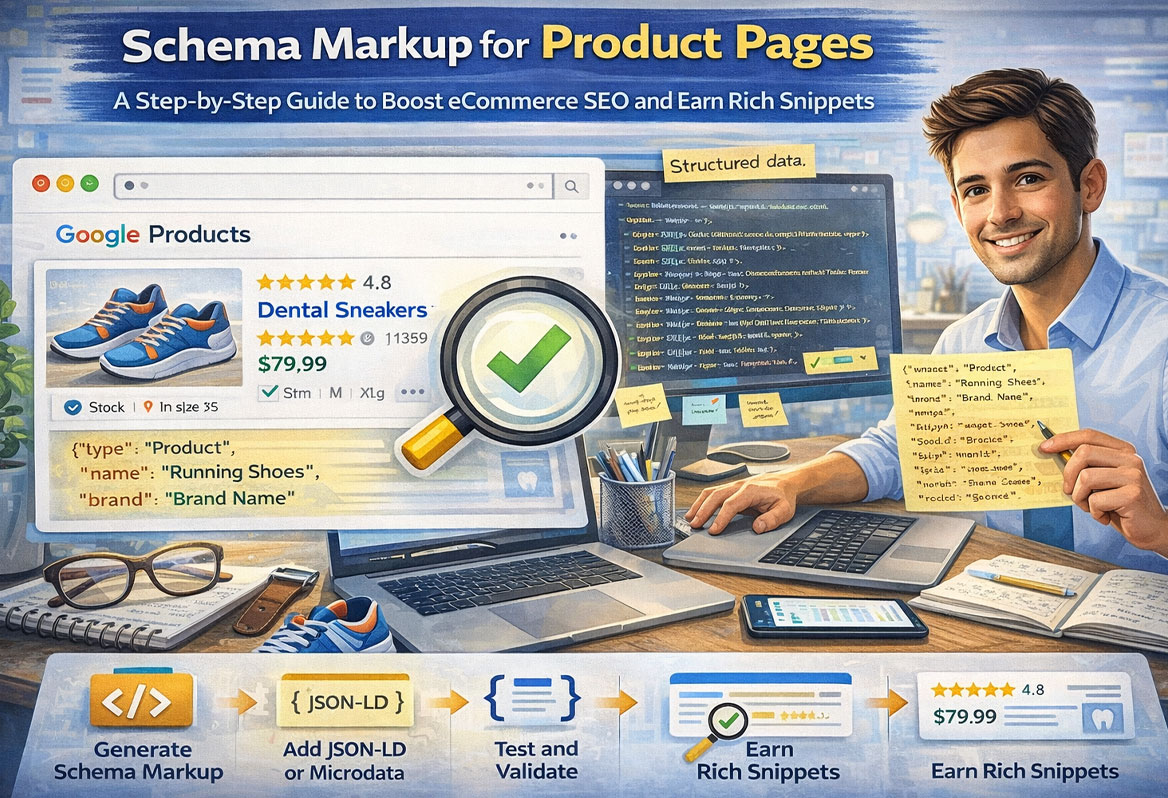
What does product schema look like in JSON-LD?
Something like this, cut down for one product. Swap in your own details and make sure every value matches what’s printed on the page, because the moment your markup says ₹1,499 and the page says ₹1,799 you’ve got a problem.
<script type="application/ld+json">
{
  "@context": "https://schema.org",
  "@type": "Product",
  "name": "Hand Block Printed Cotton Kurta, Indigo",
  "image": "https://example.com/images/indigo-kurta.jpg",
  "description": "Sanganeri hand block printed cotton kurta.",
  "brand": { "@type": "Brand", "name": "Example Jaipur" },
  "sku": "KUR-IND-M",
  "offers": {
    "@type": "Offer",
    "url": "https://example.com/products/indigo-kurta",
    "price": "1499.00",
    "priceCurrency": "INR",
    "availability": "https://schema.org/InStock",
    "itemCondition": "https://schema.org/NewCondition"
  }
}
</script>
We’ve skipped shipping and returns in the example because they run long. Google’s merchant listing page has both laid out in full when you’re ready.
Can you mark up reviews on your own product pages?
Yes, carefully. Google’s review snippet guidelines say an AggregateRating in your markup has to be something users can see on the page, and the reviews have to come from people who’ve used the thing.
Where it goes wrong is the business stars. Per that same page, a business that controls reviews about itself doesn’t get star snippets on pages marked up as LocalBusiness or Organization. Customer stars on a product they bought? Fine. A “4.9 from 2,000 happy clients” badge on the homepage, wired into the markup by some plugin and copied onto every page of the site, is how people end up with a manual action in Search Console.
How do Shopify and WooCommerce handle it?
Badly, in one specific way. Both put out some markup by default (most current Shopify themes include basic Product markup, and WooCommerce adds its own) and then a reviews app or SEO plugin bolts on another block, so Google ends up looking at two Products on one page with slightly different prices. Classic.
Check before adding anything. Put one product URL into the Rich Results Test and count the Product items it lists, and if there’s more than one, find whichever app added the extra and switch it off. Keep the version with more detail. The Shopify SEO guide and the WooCommerce SEO guide on our blog get into the platform-specific settings.
Should you use Merchant Center as well?
If you sell physical products, yes. Google’s product page says having structured data and a Merchant Center feed together gives you the best eligibility, and the feed can even plug gaps, like a price that’s missing from the page.
Free listings don’t cost anything either. On Shopify it’s mostly a case of connecting the Google channel and maybe an afternoon’s fiddling with shipping settings that nobody on the team has looked at since launch. Then your kurtas or speakers can turn up for shoppers who’ve never heard of you.
How do you test product schema?
Two tools. Rich Results Test for one URL at a time (it’ll tell you what the page qualifies for and what’s broken), and Search Console’s Merchant listings and Product snippets reports for the whole site, once Google’s had a crawl.
Errors first. They stop you being eligible at all, whereas warnings are just recommended fields you’ve skipped. Re-test a couple of product URLs after any theme update or new app, though, because that’s exactly when a duplicate block slips back in and sits there for months before anyone spots it.
Which schema mistakes cause problems?
- Price or stock that doesn’t match the page. Google wants markup to be a true representation of the page.
- USD on an Indian store. Usually a theme default nobody touched.
- Stars nobody can see. Not on the page? Not in the markup.
- Two Product blocks from a theme and a plugin fighting it out.
- A priceValidUntil date from last Diwali, still sitting there in October.
Want someone else to untangle it? Our ecommerce SEO team checks this on every store audit.
FAQ
FAQs
Not directly, no. It makes your listing eligible to show price and stock (stars sometimes), which can get you more clicks, but Google won’t promise any of it will appear. Give it a few weeks and check Search Console rather than refreshing Google the next morning.
For merchant listings, a Product with a name and an image plus offers, and inside that an Offer with a price above zero and a priceCurrency like INR. Everything else is optional. Shipping and returns are worth adding though.
JSON-LD, nearly always. Google reads both, but JSON-LD lives in its own script block away from your page design, so a theme change is much less likely to break it, and it’s a lot easier to read when you’re trying to work out what’s wrong at midnight before a sale. Most Shopify themes and WooCommerce plugins already use it. Microdata only makes sense if your platform’s built around it and you’ve got a developer who knows it inside out, and even then, having both formats on the same page is one of the more common reasons we see duplicate Product errors in Search Console that take ages to track down.
Only real ones. That means products where actual customers left reviews and those reviews show up on the page itself, not tucked away in an app nobody opens. Marking up stars that aren’t visible breaks Google’s guidelines and can land you a manual action. Copying one rating across every product does too.
Passing just means you’re eligible. Google picks when to show rich results depending on the search and the page, so give it a few weeks after fixing errors and watch Search Console. And double check nothing on the page changed after you tested.
Ready to Boost Your Product Page Visibility?
Implementing schema markup for your product pages is a proven way to enhance search visibility, drive clicks, and boost conversions. If you’re ready to take your eCommerce SEO to the next level, Sky Storm Digital is here to help. Our team specializes in schema markup implementation and optimization for Shopify, WooCommerce, and BigCommerce stores. Contact us today to start earning rich snippets for your product pages.

Pooja Garg
Pooja Garg is the founder of Sky Storm Digital, a creative digital marketing agency dedicated to helping brands grow through strategy, storytelling, and design. With a passion for blending creativity and data-driven insight, Pooja writes about digital marketing trends, brand building, and the ever-evolving online landscape.
When she’s not crafting campaigns, she’s exploring new ways to connect creativity with technology.