WooCommerce runs a large share of the web’s online stores, and most of them are quietly leaving organic revenue on the table. WooCommerce SEO is the work of making your product and category pages easy for Google to crawl, understand, and rank, so buyers find you before they find a competitor selling the same thing. We have run this play across gym equipment, fashion, and other product catalogs, and the pattern holds every time. Stores that win organic traffic treat SEO as store architecture, not a plugin they switch on once and forget. Here is the version that has worked for us, from the technical setup through product pages to schema.
Key takeaways
- WooCommerce powers roughly 32% of online shops, so most of your ranking competition is other WooCommerce stores running the same default setup. The store that customizes titles, speed, and schema is the one that pulls ahead.
- Organic search drives 53% of trackable website traffic, more than paid and social put together. An unoptimized catalog leaves your single biggest channel underused.
- Speed is revenue. In Deloitte’s data, a 0.1 second improvement in mobile speed raised retail spend by 9.2%.
- Fix the technical layer first (permalinks, indexation, faceted filters), then rewrite product and category pages, then add Product schema.
- Do not skip content. Category descriptions and a blog built around buyer questions are what let a store rank for more than its brand name.
What is WooCommerce SEO?
WooCommerce SEO is the set of technical, on-page, and content changes that help a WooCommerce store rank in organic search. It covers how WordPress and WooCommerce generate URLs, titles, and product markup, plus the usual work of keyword targeting, page speed, internal links, and schema. The goal is plain: make each product and category page the clearest, fastest answer to what a shopper typed into Google.
WooCommerce is a plugin that sits on top of WordPress, so your store inherits WordPress strengths and WordPress problems at the same time. On the good side, you get full control of content, templates, and SEO plugins like Rank Math and Yoast. On the messy side, the defaults generate thin tag and attribute archives, long URL bases, and duplicate pages that eat your crawl budget if nobody cleans them up. Because you control the server and the theme, you also control Core Web Vitals in a way a hosted platform will not give you. If you are still choosing your platform, our breakdown of WooCommerce vs Shopify vs custom development walks through the trade-offs, and the same technical instincts carry over to our Shopify SEO guide if you run both.
Stat verified here: BrightEdge Research.
What technical settings should you fix first in WooCommerce?
Before any keyword work, get the plumbing right: clean permalinks, correct indexation, a single canonical domain, a submitted sitemap, and fast pages. These five settings decide whether Google can crawl your catalog at all. Optimizing product copy on a store Google cannot crawl properly is wasted effort.permalinks screen and a site-speed waterfall chart on the monitor.
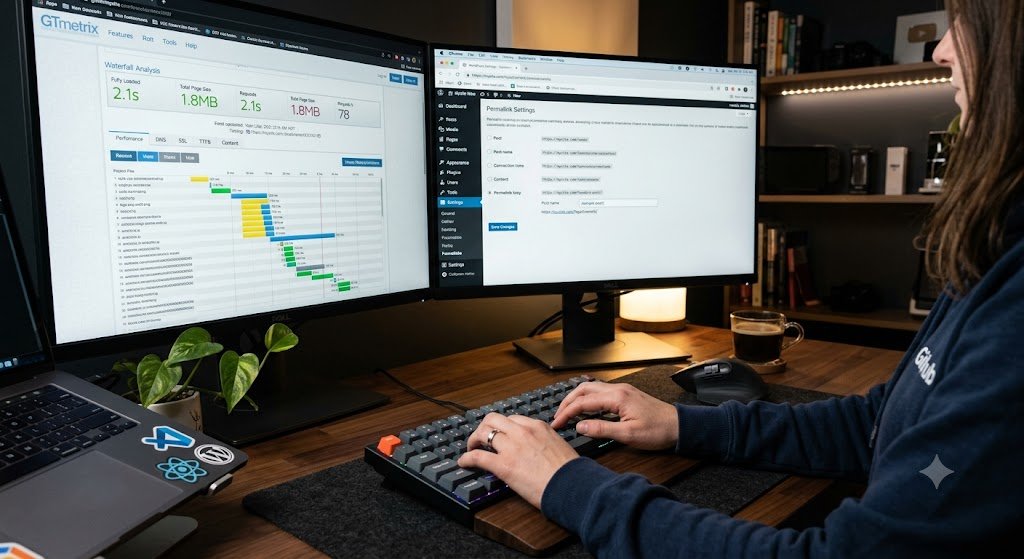
- Permalinks. Set Settings, then Permalinks, to Post name, and decide your product URL base deliberately. A shallow, keyword-relevant path beats the default clutter and is easier for shoppers to read.
- Indexation. Keep Google out of cart, checkout, my-account, internal search results, and the tag and attribute archives WooCommerce spins up automatically. A noindex rule in Rank Math or Yoast stops those thin pages from diluting your store.
- One canonical domain over HTTPS. Pick www or non-www, force HTTPS, and 301 redirect every other version to it. Split versions split your ranking signals.
- Sitemap and Search Console. Submit your WooCommerce sitemap in Google Search Console and watch the Coverage report for product URLs that get excluded. That report is where most catalog indexing problems surface first.
- Speed and Core Web Vitals. Caching, image compression, and a decent host are not optional on a product catalog. This is where WooCommerce control becomes an advantage.
The speed point is not a nicety, it is a revenue lever. Google’s own data found that 53% of mobile visits are abandoned when a page takes longer than 3 seconds to load (Google via Marketing Dive), and shoppers who bounce that fast never see your product at all. The upside is just as measurable. In Deloitte’s study for Google, a 0.1 second improvement in mobile speed lifted retail spend by 9.2% (Deloitte, Milliseconds Make Millions). We usually audit speed before we touch a single title tag, because a faster store makes every other change worth more.
Stat verified here: Deloitte / Google, Milliseconds Make Millions.
How do you do keyword research for a WooCommerce store?
Map keywords to page types by intent. Category pages target commercial head terms shoppers use when they are ready to browse a range. Product pages target specific model, brand, and long-tail queries. Blog posts target the informational questions people ask before they buy. One keyword, one clear page, matched to what the searcher wants.
The mistake we see most often is a store trying to rank a single product page for a broad category term, or three near-identical products competing for the same phrase. Sort your keywords into the three buckets below and the page structure almost designs itself.
| Search intent | Example query | Best page to rank |
|---|---|---|
| Commercial, browsing a range | “resistance bands for sale” | Category page |
| Transactional, specific item | “Bodylastics resistance band set” | Product page |
| Informational, pre-purchase | “how to choose resistance bands” | Blog post or buying guide |
Use Search Console to see what you already rank for on page two, since those are the fastest wins. When the catalog is large and the research needs to scale, our eCommerce SEO services team maps head terms to categories and long-tail terms to products before a line of copy gets written.
How should you optimize WooCommerce product and category pages?
Give every product and category page a unique title tag, a written description, compressed images with real alt text, and a clean URL. WooCommerce ships these pages nearly bare, so the store that fills them in properly outranks the one that relies on defaults. Category pages deserve the most attention, because they target the highest-value commercial terms.

- Title tags. Product name plus a key modifier plus brand, written for a human, kept near 60 characters. Do not let the raw product name double as your title on every page.
- Category pages are your money pages. Add a genuine 150 to 300 word description to each one. Most WooCommerce categories launch with zero text on the page, and a page with no words cannot rank for the terms you want most.
- Product descriptions. Write original copy that answers sizing, materials, and compatibility. Pasting the manufacturer’s description onto your page hands Google duplicate content that a hundred other stores already published.
- Images and alt text. Compress every image, name the file for what it shows, and write descriptive alt text. This helps accessibility, image search, and page speed in one move.
- URLs and breadcrumbs. Keep URLs shallow and readable, and enable breadcrumbs so both shoppers and Google understand where a page sits in the catalog.
Traffic only pays when the page converts, so treat on-page SEO and conversion rate optimization as the same job. A category page that ranks but reads like a spreadsheet still loses the sale.
How do you fix WooCommerce’s most common SEO problems?
The recurring WooCommerce issues are faceted filters creating endless crawlable URLs, duplicate content from variations and manufacturer copy, index bloat from tag and attribute archives, thin category pages, and stale out-of-stock products. Each has a standard fix. Work through them in a quarterly technical audit rather than waiting for rankings to slip.
| Problem | Why it hurts | The fix |
|---|---|---|
| Faceted filters (color, size, price) | Generate thousands of near-duplicate URLs that waste crawl budget | Canonicalize or noindex filtered URLs; block filter parameters you do not want crawled |
| Duplicate product descriptions | Manufacturer copy appears on dozens of competing stores | Rewrite descriptions in your own words with details buyers ask about |
| Tag and attribute archives | Auto-generated thin pages dilute topical signals | Noindex them in Rank Math or Yoast |
| Thin category pages | A product grid with no text has nothing to rank | Add a written intro and internal links to key products |
| Discontinued products | Dead URLs and out-of-stock pages frustrate shoppers and Google | 301 redirect to the parent category, or keep the page live if it still gets traffic |
None of this is glamorous, but it is usually where the fastest ranking gains hide. On one gym equipment catalog, cleaning up crawl traps and thin pages did more in a quarter than any amount of new content would have. You can see how that played out in our case study on organic growth for a gym equipment eCommerce brand.
Does schema markup help WooCommerce SEO?
Yes. Product schema tells Google the price, availability, and review rating of an item, which makes your listing eligible for rich results, the star ratings and price snippets you see in the search results. A richer listing earns more clicks from the same ranking position. WooCommerce with Rank Math or Yoast adds most of this markup automatically.
Two things to check once it is on. First, validate a few product URLs in Google’s Rich Results Test and Product structured data documentation to confirm the markup is valid and complete. Second, make sure review and rating schema is populated with real reviews, because the star rating is the single most clickable element you can add to a product listing. Broken or fabricated review markup is a manual-action risk, so keep it honest.
How do you build content and links for a WooCommerce store?
Build a blog around the questions buyers ask before they purchase, then link those posts to the category and product pages that answer the commercial version of the same query. Content earns informational rankings and backlinks; internal links pass that authority to the pages that make money. The two work as one system.
A buying guide that ranks for “how to choose X” can funnel readers straight to the category page for X, and it gives other sites something worth linking to. That is how a store starts ranking for more than its own brand name. Pair the content with a real link-building plan, since product pages rarely earn links on their own; our guide to backlinks covers the tactics that still work. If your rankings are stuck despite good pages, it is often a visibility problem rather than a content one, and the steps in our guide on how to improve your website’s visibility on search engines are where we start.
Where to start this week
Fix the technical layer, rewrite the pages Google already crawls, add Product schema, then build the content and links that pull in new queries. If you want one concrete first move: pick your best-selling category, rewrite its title tag, add a 200 word description, and check its Core Web Vitals in Search Console. Run the same loop on that category and compare its impressions in GSC 30 days later. Repeated across the catalog, that single loop is what moves a WooCommerce store from invisible to found.